An API-only user is a user for an integration or automated process, which authenticates API requests with an API key. Creating the user and creating the key are separate steps.
Prerequisites
- You must have admin license with user permissions Can manage users & groups and Can manage account settings
- The account must have API access enabled.
Create an API-only user
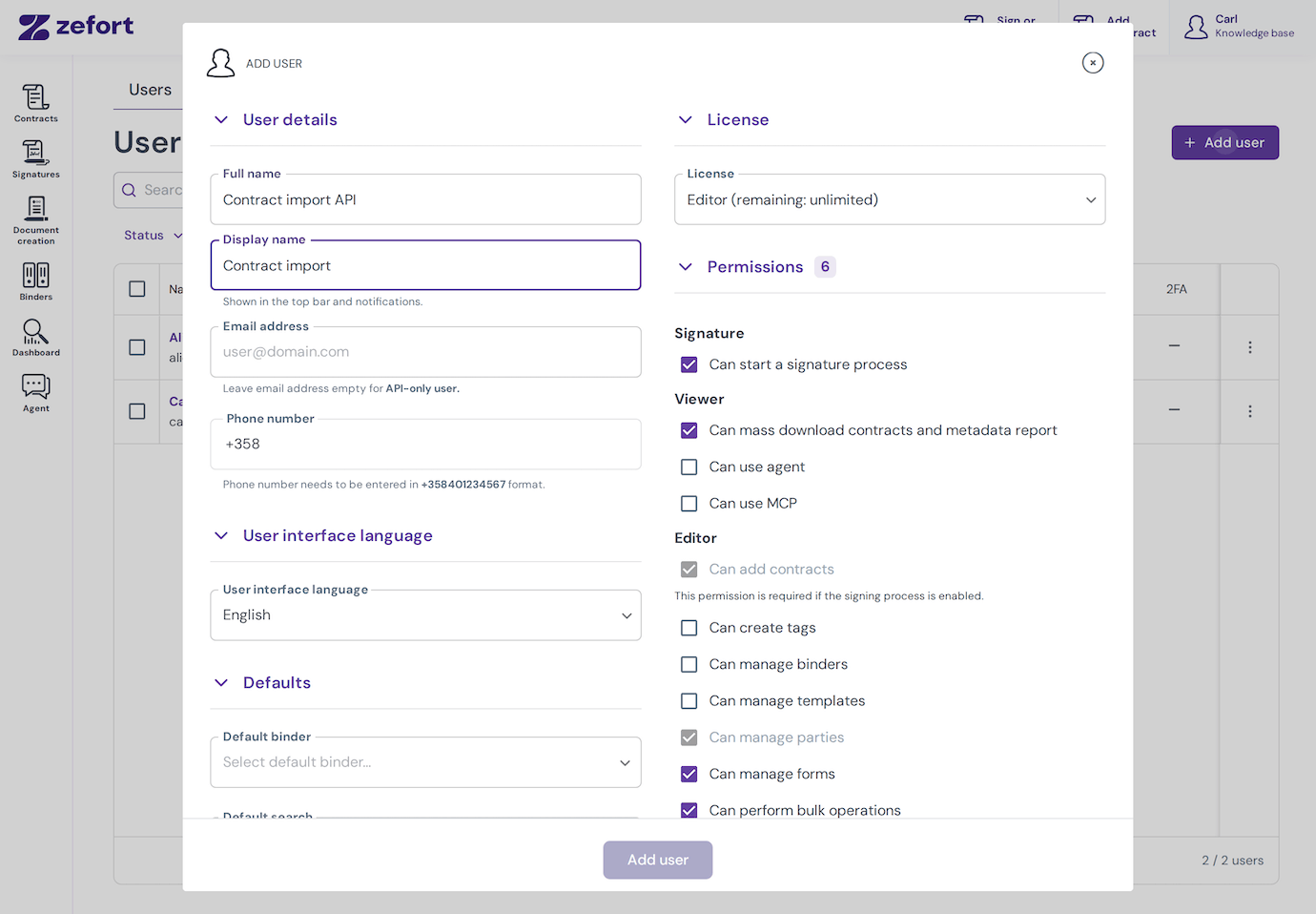
Step 1: create the user
- In Users, click Add user.
- Enter a descriptive Full name, such as Contract import API.
- Leave Email address empty.
- Choose a license and enable the permissions the integration needs. For example, contract imports need Can add contracts.
- Select Add user.
The user is created as active immediately, and Zefort does not send an activation email. This user does not have an email and password login for the browser interface.
Step 2: create an API key for the user
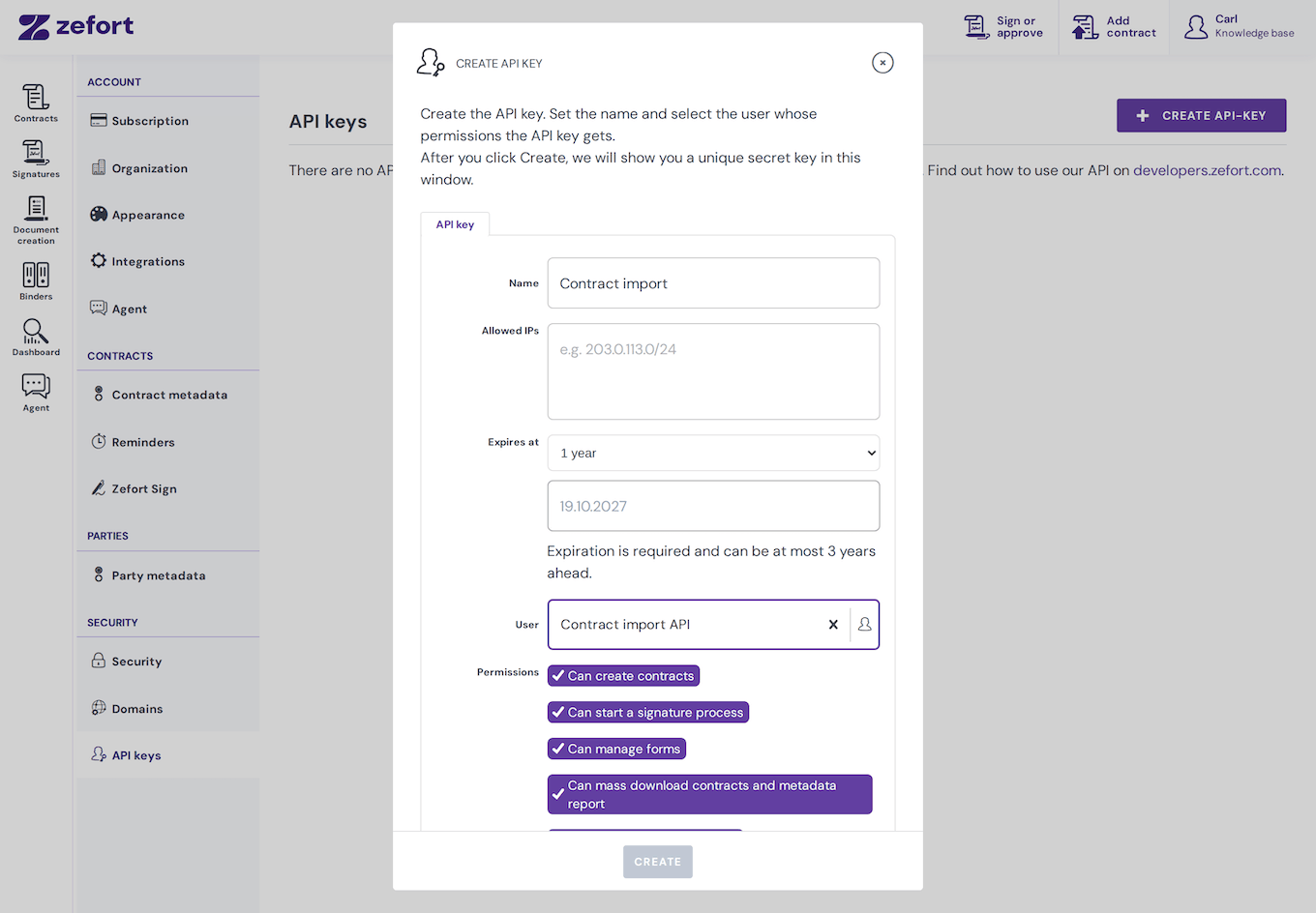
- Go to Account settings and select API keys.
- Select Create API-key.
- Enter a name for the key, such as Contract import.
- Optionally enter Allowed IPs to limit where the key can be used. Enter IP addresses or network ranges separated by commas or new lines. Leave the field empty to allow any IP address, subject to other account restrictions.
- Set Expires at. New keys require an expiration date, at most three years ahead. The default is one year.
- Select the API-only user under User and review the permissions shown.
- Select Create. Copy the secret key and store it securely before closing the dialog.
Save the secret: Zefort shows the secret when you create or rotate a key. You cannot retrieve it later from the key details. If you lose it, rotate the key and update the integration.
The key uses the selected user’s permissions and contract access. Review that user’s binder access as well as their user permissions. You can also link an API key to an existing user with an email address; a separate API-only user is useful when an integration needs its own access.
Use the API keys view to rotate or revoke keys when needed. An expired or revoked key no longer authenticates requests.