Know where your contracts need attention
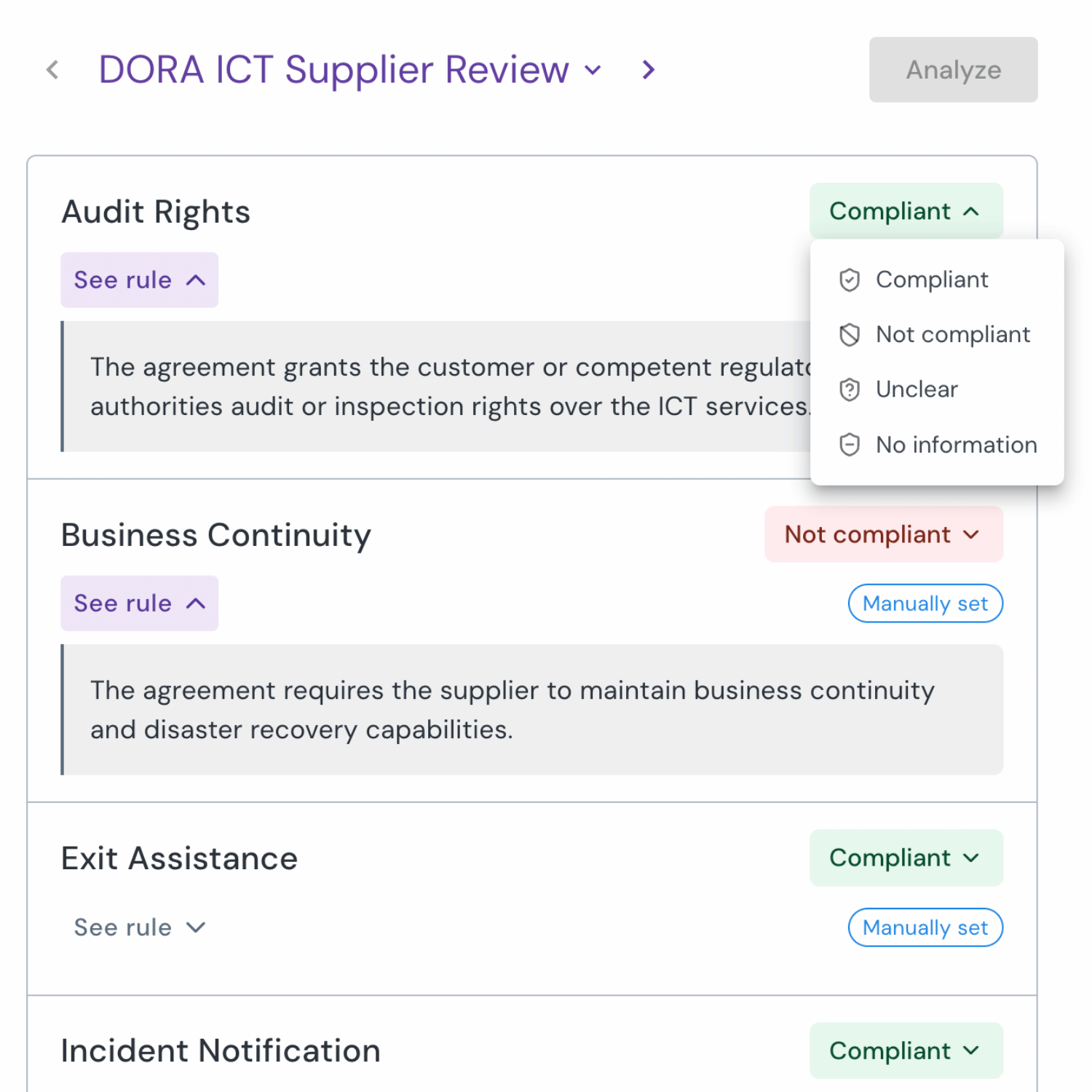
Zefort Playbooks flags potential gaps and shows the supporting evidence, so your team knows what to review further.

Give every review a stronger starting point
When the same requirements apply across many agreements, your team shouldn’t have to start each check from scratch.
Give reviewers a common basis for assessing contract terms, so expectations don’t depend on who picks up the agreement.
Check one contract or a selected group to surface terms that may fall short of your requirements.
Review each result and its supporting evidence. Change a label when your assessment differs.
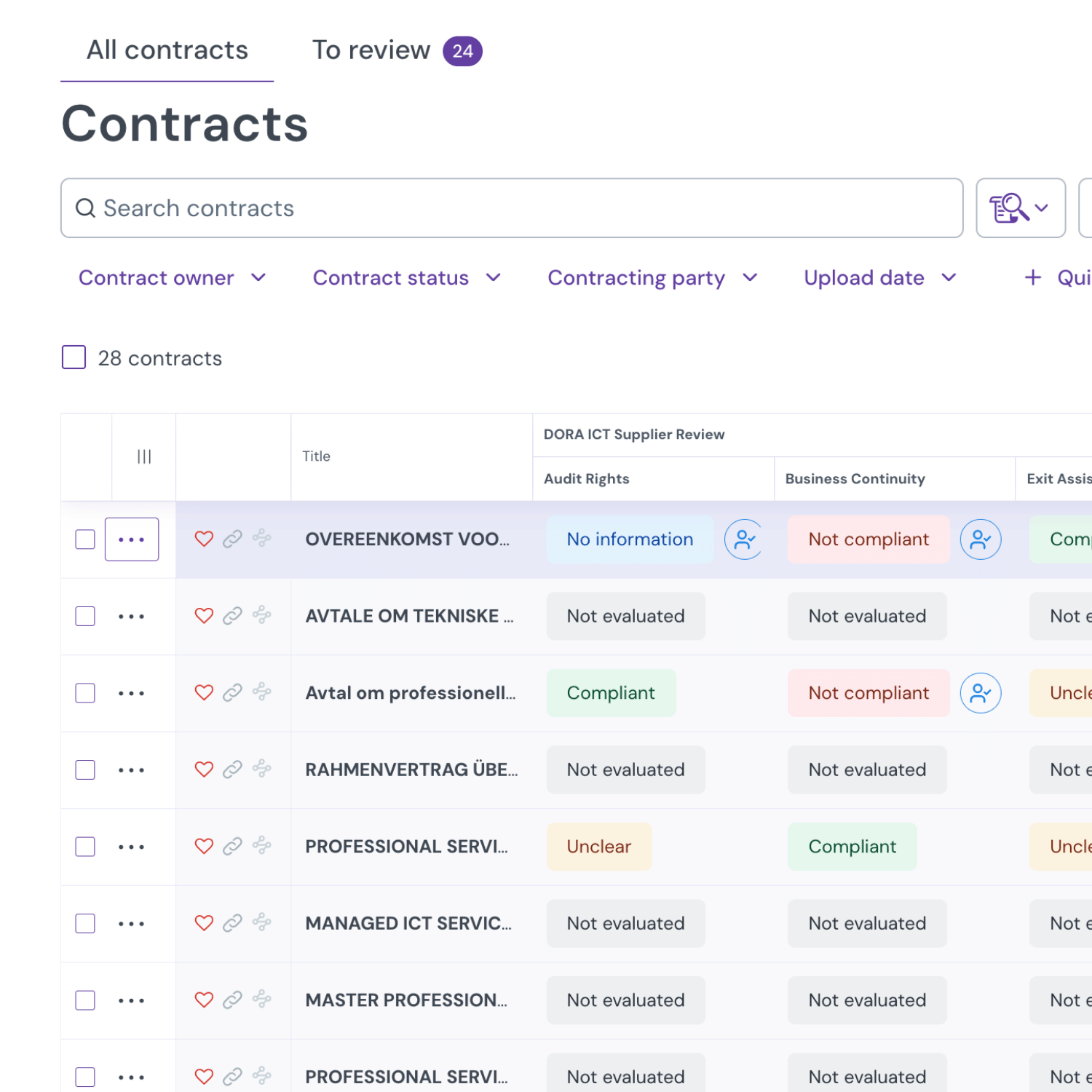
Bring existing contracts up to today’s standards
See Playbooks in action
Explore how your team could turn contract requirements into a repeatable review process.

Frequently asked questions
Playbooks checks contract text and attachments against requirements you define, such as notice periods, confidentiality terms, or audit rights. This helps your team identify potential deviations from its standards across one agreement or a selected group.
Yes. Define the contract requirements and relevant exceptions in your playbook rules. The criteria must be stated directly: Playbooks cannot look up an external policy or verify a supplier’s real-world practices.
No. AI results support professional review and can be wrong. Check the evidence and apply your own judgment, including when a result is labeled Compliant.
Administrators can adjust the playbook’s evaluation threshold. A higher threshold requires a larger difference between the evidence scores before the AI assigns a decisive label. Preview the effect on existing results before saving.
Playbooks is included in Zefort’s Enterprise+ plan and available as an add-on for Enterprise and Teams. It is not sold as a standalone product. Contact our sales team for pricing and availability.
Enable Playbooks on your Zefort account and have an authorized administrator define your rules. Test them on a small, representative set of contracts before applying them more widely. An Administrator or Editor license is required to run reviews, with additional permission for bulk operations.