Copy contract text in Zefort
At Zefort, CLM software, you can copy the contract text in two ways: either by copying text from the contract preview to your clipboard or by downloading the entire document text as a file.
Copy-paste text from contract
In case you need any text from the contract, simply select text and copy it with a shortcut (ctrl + C in Windows, Command + C in Mac), then paste it wherever necessary.
Here are some handy tips:
- Click on top of any word to select it.
- Double-click to select the entire sentence.
Note: If you double-click in a blank area of the document, it will open in full-screen view. Double-click again to exit.
Download whole contract text
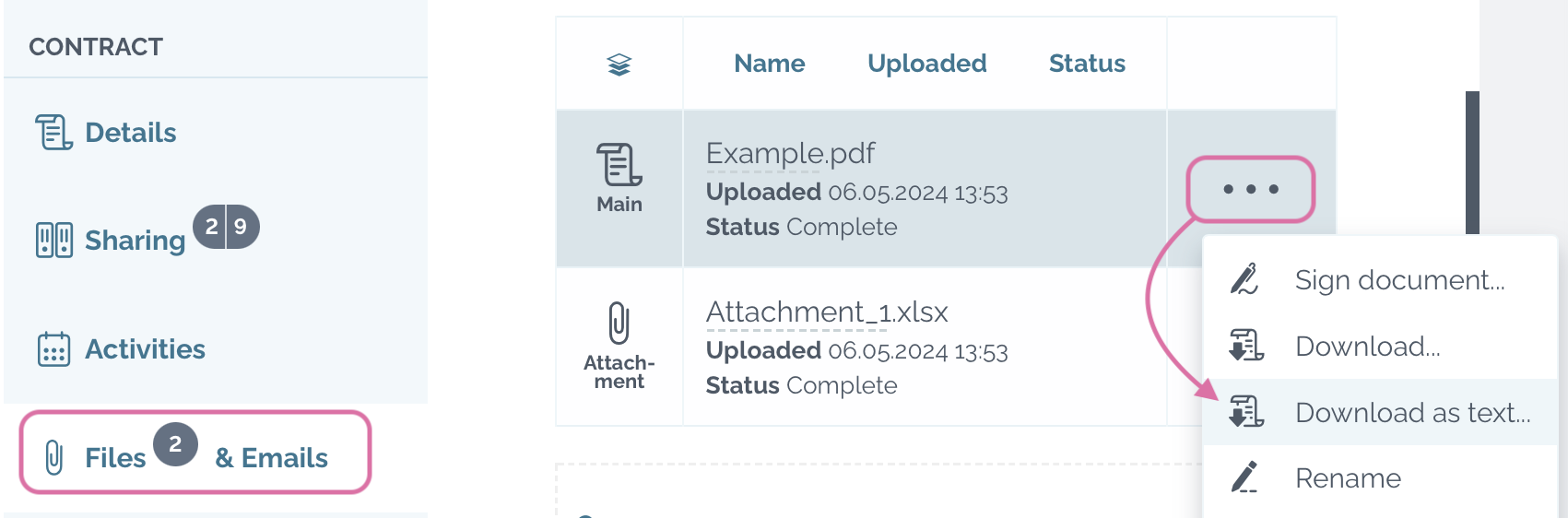
To download the entire text of the document, follow these steps:
- Open contract and navigate to Files & Emails tab.
- Find the specific file containing the text you wish to download.
- Open the menu ••• of the file.
- Select “Download as text” to obtain the text in a .TXT file format.